Viral Swipe File


Miles de vistas y mensajes por esto
Real Estate · Step-by-Step Tutorial, Creator face over in-app footage
Why it beat its usual
161xthe views @adrianortizia usually gets
54K views
- This video54K
- Usual views337
- Real Estate median15× the median viral factor of the 98 Real Estate videos in the library (median 10.9x).
- Step-by-Step Tutorial median1.5× the median viral factor of the 682 Step-by-Step Tutorial videos in the library (median 108x).
- Creator face over in-app footage medianbelow the median viral factor of the 11,947 Creator face over in-app footage videos in the library (median 186x).
- Views against the Real Estate nichebelow the median of the 98 Real Estate videos in the library (median 191,726).
- Engagement against the Real Estate niche12.1%, above the Real Estate median of 4.4%.
- Engagement
- 12.1%
- Rank in Real Estate
- #18
How it's built
- Step-by-Step Tutorial
- Creator face over in-app footage
- Curiosity hook
- Screen Recording
- UGC Selfie
The hook opens a question, built to keep the viewer watching until it closes. Built as Screen Recording and UGC Selfie. A creator speaks as themselves, built to read like a post from someone the viewer follows. It presses on curiosity: wanting to know what happens or how. The tone is educational.
It is pitched at viewers who know solutions exist, so it names the kind of solution, not this one.
- Hook on screen
- “Miles de vistas y mensajes por esto”
- First words said
- “This real estate agency is getting thousands of views on its videos and hundreds of messages with this kind of video that I’m going to show you how to make in under a minute.”
What's said
5:35 · SpanishThis real estate agency is getting thousands of views on its videos and hundreds of messages with this kind of video that I’m going to show you how to make in under a minute. But first, let’s watch one of the videos. Aren’t these the best views in Bilbao? Well, they could be yours.
Come with me to see this apartment and I’ll show you what it can do. There’s an app that can make these videos for you. It’s super, super easy, and I’m going to show you how to make them. If you want me to send you the link to the app, write the word “AI” in the comments and I’ll send it to you. Okay, once you’ve signed up, what you’re going to do is go straight to “Turn listing photos into a cinematic real estate video” option.
There are lots of options, but we’re going to use this one. Here you have two options. One is to make a Reel, and the other is to make a video, for example for YouTube or for the website. In this case, we’re going to make a Reel. And you need to upload between 5 and 9 high-quality photos for the video. In my case, since the photos are in a square format and we need them in a vertical format, we have two options: either crop everything, yeah, crop it manually, or adapt it with AI.
In my case, I’m going to adapt them with AI. This literally takes less than two seconds, and now we have the photos adapted here, in Reel format. On this side we have the bathroom, and here the kitchen, the open-plan space, and the balcony. In this case, we’re going to label this as the dining area. We’re going to click Continue. And here there are lots of things, and this is the interesting part, the part that blows my mind.
There are two things we can do: we can bring these photos to life, turn them into a video by adding people or adding animals, or we can specifically redesign the entire space and also add people. In my case, we’re going to redesign the space. We have the option to add people and pets. We’re going to leave that turned on. And this is super, super interesting, because we can adapt it to whatever style we want. There are a ton of styles that all look great.
And what really makes these videos get hundreds of thousands of views is that people can picture themselves, they can visualize what it would look like, their apartment, whether they buy it or rent it. In my case, I really, really, really like the luxury style. I love this style, it’s classy. We’re going to choose that one. We’re going to click Continue to the script. Okay, and once we’re here, we have several options.
One option is to write the script yourself, and another option is to generate it with AI. In my case, I’m going to generate it with AI. Basically, you just enter the details of the property, the location, the prices, the features, etc. We’re going to enter that, and we’re going to click Generate with AI. So what the artificial intelligence is going to do is generate that script that’s going to be read by that voice-over, and it’s going to turn out great.
Okay, here we have the script created. “If you’re looking for the perfect place in Fisherton…” blah blah blah. So we have the whole script created. And here there are two options to set it, for example, to different languages, to use different accents. In my case, I’m going to set it to an Argentinian accent, and we’re going to choose a voice, and there are lots of voices. You could choose a pre-made voice, for example.
A public voice like this one—let’s listen to it. You’re listening to my voice. How can I help you? What I’m going to do is... Select Catalina—let’s pick Catalina. Then click “Use this voice.” And here we’ve got a few options. We can add... background music, we can... add optional elements, for example. We can add a watermark or on-screen text. I’m not going to add that for now, but I do want to add... subtitles. And there are tons of subtitle options you can add here.
In my case, I’ll stick with the classic—I’m pretty classic. I love this one, so we’ll keep it. And we’ll send it to review, yeah. And here we basically have the images... from before—in this case, the kitchen. And the after—look at this. How beautiful. It’s crazy what it can do. The bathroom, for example: before, and the after version. And in the case of... the bedroom, yeah. This is the previous version, and this is the after.
Or the balcony—yeah, it didn’t have anything, and now I add this. It’s... beautiful. Or, well, the dinette area—I mean, the dining room. Yeah, look at the dining room—beautiful. If there’s something you didn’t like, for example, and you want it to look... different, then just... click “Regenerate.” And basically... it gives you another version, and it regenerates it in two seconds. Yeah, we’ll leave it like this—I liked how it turned out.
We’re going to click... “Continue review,” and now we’ve got the full review. The photos, the script, the voice-over, the settings, the subtitles, and we’ll click “Create video.” Once we click “Create video,” we wait a few minutes, and the video will show up. Finished—in this case, it’s still processing. So let’s see how it turns out. Looking for the perfect home in Fisherton? This modern one-bedroom apartment offers an elegant bathroom, a contemporary kitchen equipped with stainless-steel appliances, and a cozy living space filled with natural light.
Enjoy your own terrace with a grill, ideal for sharing unforgettable, special moments outdoors. Life in Fisherton combines natural beauty with a community atmosphere where you can explore charming shops and restaurants. Don’t miss the chance to live in this wonderful place. Contact us today to schedule your visit. And if you like AI content, follow me, because every day I post a new video.
The words behind 161x its usual
Make your own
“Miles de vistas y mensajes por esto”
Same format: Step-by-Step Tutorial
Highest viral factor first · All
 373KxHere's how to have the best summer.
 107KxThis is the BEST summer idea!!!
 43KxTutorial on how I created these pictures with The Grinch
 17Kxhow do I make an acorn squash easier to cut
 16KxMy FAVORITE cooking hack is this app 🙌🏼
 16KxPlease don't make the same mistake I did.
 15KxThis Tumeric All In One Is shockingly good🙌🏾
 14KxDon't they use this for corn?
 7,589xHow to make $5k a month using AI
 7,216xDrawer slipping out or getting stuck
 6,216xDo you know what grows in your Ice Machine?
 5,130xKim Kardashian's Chia Seed Pudding
Same niche: Real Estate
Highest viral factor first · All
 15KxBest advice I could give you in 2026
 5,113xThe smaller house is not settling. It's a strategy.
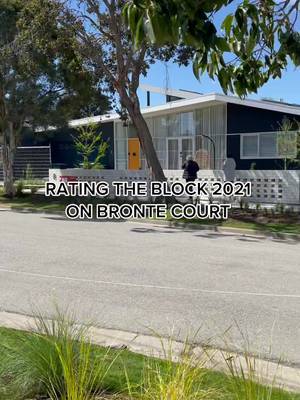 3,317xRATING THE BLOCK 2021 ON BRONTE COURT
 2,724xDo athletes rent or buy their home?
 1,039xspring apartment reset with Apartment List
 1,022xNever casually tell your friend that works in finance that your…
 691xDelivery Pin
 644xMy sister bought the big house. I bought the small one. Let me…
 559xWhat ¥180,000 gets you in Central Tokyo
 527xDitch sketchy listings. Find your perfect apartment in 5 minutes--no…
 506xIf only there were a solution to the housing crisis.
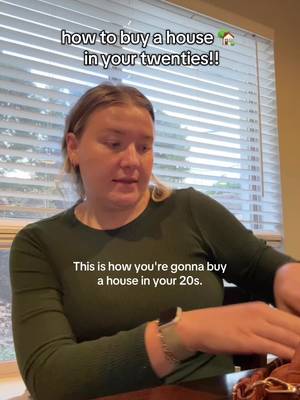 429xhow to buy a house in your 20s
About this video
161x: about 161 times the views @adrianortizia usually gets. Viral factor divides a video's views by its account's usual views, so it measures how far the video beat its creator's normal reach, whatever the size of the account. 12.1% engagement rate. 2,385 likes, 948 comments, 942 shares, 2,329 saves. Filed under Real Estate, Step-by-Step Tutorial and Creator face over in-app footage.