Viral Swipe File
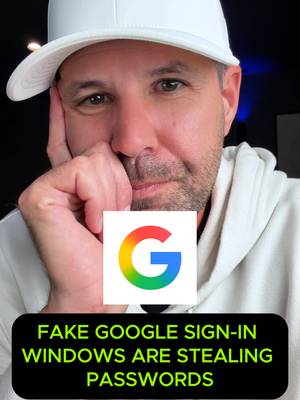

Try dragging a Google login pop-up off your screen before typing your password.
Security & Privacy · Step-by-Step Tutorial, Creator face over in-app footage
Why it beat its usual
60.7xthe views @techsecuredad usually gets
721K views
- This video721K
- Usual views11K
- Security & Privacy median2.9× the median viral factor of the 86 Security & Privacy videos in the library (median 21.1x).
- Step-by-Step Tutorial medianbelow the median viral factor of the 682 Step-by-Step Tutorial videos in the library (median 108x).
- Creator face over in-app footage medianbelow the median viral factor of the 11,947 Creator face over in-app footage videos in the library (median 186x).
- Views against the Security & Privacy niche1.8× the median of the 86 Security & Privacy videos in the library (median 401,924).
- Engagement against the Security & Privacy niche14.7%, above the Security & Privacy median of 4.4%.
- Engagement
- 14.7%
- Rank in Security & Privacy
- #34
How it's built
- Step-by-Step Tutorial
- Creator face over in-app footage
- Warning hook
- Screen Recording
- UGC Selfie
The hook warns about a mistake or a risk, built for viewers who want to avoid it. Built as Screen Recording and UGC Selfie. A creator speaks as themselves, built to read like a post from someone the viewer follows. It presses on fear: something bad could happen. The tone is educational.
It is pitched at viewers who feel the problem, so it names the pain, not the fix.
- Hook on screen
- “Try dragging a Google login pop-up off your screen before typing your password.”
- First words said
- “Hey, so hackers just found a way to show you a fake Google or Microsoft login pop-up that looks completely real down to the address bar, and it is almost fooling everyone.”
What's said
0:45 · EnglishHey, so hackers just found a way to show you a fake Google or Microsoft login pop-up that looks completely real down to the address bar, and it is almost fooling everyone When you click sign in on a site this window pops up asking for your email and password It looks identical to the real thing
but the second you type your info in it captures your password and your security codes in real time completely bypassing two-factor authentication Here's the dead giveaway to test if it's fake before you type anything Grab that pop-up window with your mouse and try to drag it outside of your browser window If it stops at the edge of the web page and it will not leave the screen, it's not a real pop-up It's just a fake image drawn inside the website to steal your login Share this with someone who signs in with Google and follow Tech Secure Dad for daily ways to stay safe online
The words behind 60.7x its usual
Make your own
“Try dragging a Google login pop-up off your screen before typing your password.”
Same format: Step-by-Step Tutorial
Highest viral factor first · All
 373KxHere's how to have the best summer.
 107KxThis is the BEST summer idea!!!
 43KxTutorial on how I created these pictures with The Grinch
 17Kxhow do I make an acorn squash easier to cut
 16KxMy FAVORITE cooking hack is this app 🙌🏼
 16KxPlease don't make the same mistake I did.
 15KxThis Tumeric All In One Is shockingly good🙌🏾
 14KxDon't they use this for corn?
 7,589xHow to make $5k a month using AI
 7,216xDrawer slipping out or getting stuck
 6,216xDo you know what grows in your Ice Machine?
 5,130xKim Kardashian's Chia Seed Pudding
Same niche: Security & Privacy
Highest viral factor first · All
 9,228xSo whose email still ends in this or this?
 4,840xfriendly reminder to all iPhone users out there
 3,972xme: with cameras at every entrance
 2,661xDo you have a bank account liked to Venmo??? 👀
 2,039xURGENT PSA ALL LYFT USERS
 1,669xParents, you need to see this.
 1,351xAlexa is being sued!
 1,205x24/7 monitoring for less than a $1/day
 725xMy ex boyfriend broke into my apartment and damaged $7,000 worth of…
 711xHave a gmail account ??? Give this a shot 💰💸
 461xwhen i get to school and the wifi + vpn combo not hitting
 417xBank haters listen up!
About this video
60.7x: about 60.7 times the views @techsecuredad usually gets. Viral factor divides a video's views by its account's usual views, so it measures how far the video beat its creator's normal reach, whatever the size of the account. 14.7% engagement rate. 44,985 likes, 591 comments, 42,779 shares, 17,665 saves. Filed under Security & Privacy, Step-by-Step Tutorial and Creator face over in-app footage.