Viral Swipe File
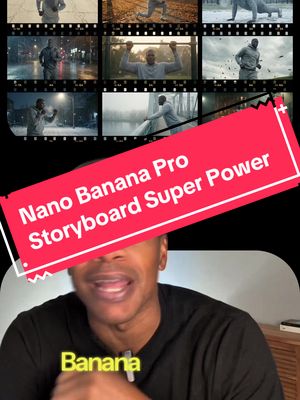

The NanoBananaPro Trick That Instantly Levels Up Your AI Filmmaking
AI Photos & Videos · Step-by-Step Tutorial, Creator face over in-app footage
Why it beat its usual
275xthe views @ai.for.real.life usually gets
88K views
- This video88K
- Usual views321
- AI Photos & Videos medianbelow the median viral factor of the 738 AI Photos & Videos videos in the library (median 297x).
- Step-by-Step Tutorial median2.6× the median viral factor of the 682 Step-by-Step Tutorial videos in the library (median 108x).
- Creator face over in-app footage median1.5× the median viral factor of the 11,948 Creator face over in-app footage videos in the library (median 186x).
- Views against the AI Photos & Videos nichebelow the median of the 738 AI Photos & Videos videos in the library (median 596,813).
- Engagement against the AI Photos & Videos niche12.7%, above the AI Photos & Videos median of 3.7%.
- Engagement
- 12.7%
How it's built
- Step-by-Step Tutorial
- Creator face over in-app footage
- How to hook
- Screen Recording
- App Mockup
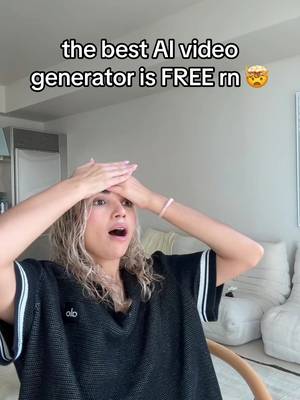
The hook promises to teach something useful, built to keep the viewer for the steps. Built as Screen Recording and App Mockup. A creator speaks as themselves, built to read like a post from someone the viewer follows. It presses on curiosity: wanting to know what happens or how. The tone is educational.
It is pitched at viewers who know solutions exist, so it names the kind of solution, not this one.
- Hook on screen
- “The NanoBananaPro Trick That Instantly Levels Up Your AI Filmmaking”
- First words said
- “Let me show you this magic Nano Banana workflow”
What's said
1:02 · EnglishLet me show you this magic nano banana workflow that can give you endless cinematic options for your story in a fraction of the time. Step 1, get an image of your character, clothes or whatever you need for a consistent story. Drop those into Nano Banana Pro and use the prompt right here.
Now that's gonna give you a full pose sheet for your character and this is where the magic starts. Step 2 is take that pose sheet and drop it back into Nanabana Pro. Now use this or a variation of this storyboard prompt and tweak it for whatever you're creating. In under a minute, Nando Banana will generate a full set of dynamic shots for you, angles, movement, action, poses, all based on your story. And step 3 is once you have your storyboard, drop it back into Nana Banana Pro and ask it to upscale the exact frame that you want.
Something like upscale image 3 from the storyboard. Now you've got a high resolution image of your character with consistent lighting, clothing and overall style completely locked in. And from there you just use your favorite AI video generator to bring it to life. So comment, break down in the comments if you want me to do the full tutorial.
The words behind 275x its usual
Make your own
“The NanoBananaPro Trick That Instantly Levels Up Your AI Filmmaking”
Same format: Step-by-Step Tutorial
Highest viral factor first · All
 373KxHere's how to have the best summer.
 107KxThis is the BEST summer idea!!!
 43KxTutorial on how I created these pictures with The Grinch
 17Kxhow do I make an acorn squash easier to cut
 16KxMy FAVORITE cooking hack is this app 🙌🏼
 16KxPlease don't make the same mistake I did.
 15KxThis Tumeric All In One Is shockingly good🙌🏾
 14KxDon't they use this for corn?
 7,589xHow to make $5k a month using AI
 7,216xDrawer slipping out or getting stuck
 6,216xDo you know what grows in your Ice Machine?
 5,130xKim Kardashian's Chia Seed Pudding
Same niche: AI Photos & Videos
Highest viral factor first · All
 52KxTODAS las fotos con este filtro quedan lindas
 47KxNo vuelvo a sacarme selfies normales después de descubrir este filtro
 41Kxgoogle docs just added a new button... and it shows you've used…
 36Kxlow-pixel photography is blowing up
 34Kxel filtro lo es todooo😮💨😮💨
 30KxTutorial on how I did this with Justin Bieber
 30KxEmocionada por Merlina?
 28KxIf only our greatest moment of intimacy could be our greatest moment…
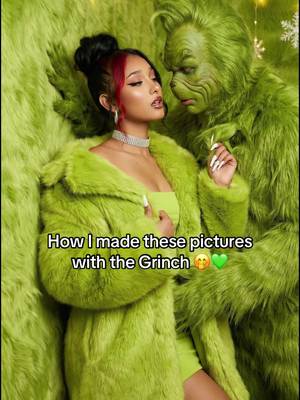 27KxHow I made these pictures with the Grinch?
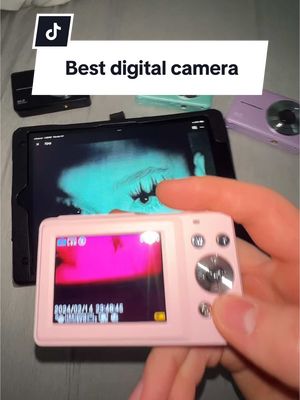 27KxDoes it take pink night vision shots?
 24KxLo que piensa mi novio cuando le menciono a un hombre...
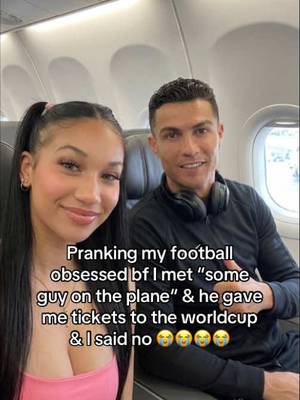 23KxPranking my football obsessed bf I met "some guy on the plane" ✈️ &…
About this video
275x: about 275 times the views @ai.for.real.life usually gets. Viral factor divides a video's views by its account's usual views, so it measures how far the video beat its creator's normal reach, whatever the size of the account. 12.7% engagement rate. 4,634 likes, 287 comments, 888 shares, 5,436 saves. Filed under AI Photos & Videos, Step-by-Step Tutorial and Creator face over in-app footage.