Viral Swipe File
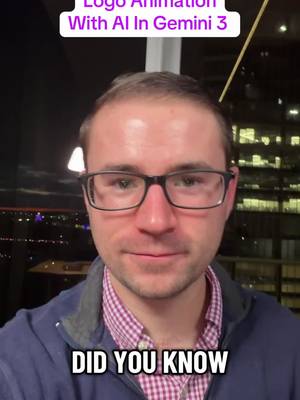

How to Animate Your Logo with Gemini 3 & Google Veo 3.1
Why it beat its usual
145xthe views @alericheck usually gets
132K views
- This video132K
- Usual views910
- AI Photos & Videos medianbelow the median viral factor of the 738 AI Photos & Videos videos in the library (median 297x).
- Creator face over in-app footage medianbelow the median viral factor of the 11,947 Creator face over in-app footage videos in the library (median 186x).
- Views against the AI Photos & Videos nichebelow the median of the 738 AI Photos & Videos videos in the library (median 596,813).
- Engagement against the AI Photos & Videos niche5.7%, above the AI Photos & Videos median of 3.7%.
- Engagement
- 5.70%
How it's built
- Creator face over in-app footage
- How to hook
- Screen Recording
The hook promises to teach something useful, built to keep the viewer for the steps. Built as Screen Recording: a recording of a phone or computer screen. A creator speaks as themselves, built to read like a post from someone the viewer follows. It presses on curiosity: wanting to know what happens or how. The tone is educational.
It is pitched at viewers who know solutions exist, so it names the kind of solution, not this one.
- Hook on screen
- “How to Animate Your Logo with Gemini 3 & Google Veo 3.1”
- First words said
- “Did you know that Gemini 3 can professionally animate your logo?”
What's said
1:38 · EnglishDid you know that Gemini 3 can professionally animate your logo? Turning a logo that looks like this into this animation in this video, I'm gonna show you exactly how this works. Alright, so here's all you need to do.
Just upload your logo to Gemini 3 and then say, create a professional logo sting motion animation of this logo appearing on a white screen. Then you're gonna go to tools and then make sure you choose create videos with V O 3.1. And then you're gonna go down and click submit and it will start making the animation for you. Alright, let's take a look at what this looks like. Alright, so it does pop up with another logo here at the end, so we can trim that off.
Sometimes it has a little bit of a glitch and. And you can also see that at the beginning it does start with that smaller kind of view. But what we can do is we can trim this video and we'll turn off the sound here for a second. We can trim it from this point all the way and you can see that's a really cool animation all the way until it gets to about this point. And that's gonna give us a professional animation we can use.
And by the way, we can edit this prompt to include whatever we want and however we want it to appear. We can also use Google Flow to do more of An in depth animation if we want as well. So now you know how to quickly make a professionally animated logo sting for your logo using Gemini 3. And again, you can get this a little bit more in depth if you use Google Flow with V O 3.1. I've got more tutorials right here on my page, so make sure to follow for more.
The words behind 145x its usual
Make your own
“How to Animate Your Logo with Gemini 3 & Google Veo 3.1”
Same format: Creator face over in-app footage
Highest viral factor first · All
 393Kxhaving a community of other people who love music just as much as me…
 369Kxnothing more humbling than when you find out you don't know your…
 329Kxthe feeling when you meet someone with your same music taste >>>
 230KxLife is so good when you have friends who love music as much as you…
 157KxTO EVERYONE GOING BACK TO SCHOOL!!!
 140KxT-MOBILE LAWSUIT
 138Kxstop doomscrolling and actually do something productive
 130KxIt's 5am on his birthday
 122KxWhen I'm in a deep sleep but I can sense she texted me 50 seconds ago
 110KxWhy is Spanish so hard???
 39Kx3 REASONS WHY YOU NEED TO DELETE SNAP!!!
 36Kxlow-pixel photography is blowing up
Same niche: AI Photos & Videos
Highest viral factor first · All
 87KxHow I created these pictures with the Grinch?! 🤩
 53Kxreacting to what our babies would look like
 52KxTODAS las fotos con este filtro quedan lindas
 47KxNo vuelvo a sacarme selfies normales después de descubrir este filtro
 43KxTutorial on how I created these pictures with The Grinch
 41Kxgoogle docs just added a new button... and it shows you've used…
 34Kxel filtro lo es todooo😮💨😮💨
 30KxTutorial on how I did this with Justin Bieber
 30KxEmocionada por Merlina?
 28KxIf only our greatest moment of intimacy could be our greatest moment…
 12KxPosso morrer feliz se consegui uma foto como essa
 12KxTutorial Fotos del Grinch
About this video
145x: about 145 times the views @alericheck usually gets. Viral factor divides a video's views by its account's usual views, so it measures how far the video beat its creator's normal reach, whatever the size of the account. 5.7% engagement rate. 3,476 likes, 66 comments, 710 shares, 3,298 saves. Filed under AI Photos & Videos and Creator face over in-app footage.