 Viral Swipe File
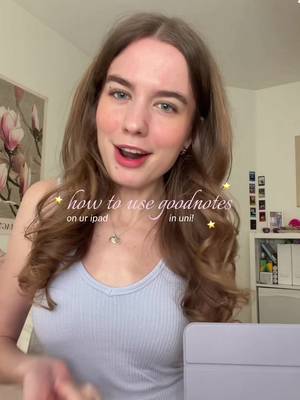
here’s how to use goodnotes on ur ipad in university!
Education · Digital Note Tutorial, Step-by-Step Tutorial, Creator face over in-app footage
Why it beat its usual
86.9xthe views @elizabeth.wisebourt usually gets
853K views
- This video853K
- Usual views9.8K
- Education medianabout the median viral factor of the 6,803 Education videos in the library (median 84.6x).
- Digital Note Tutorial medianbelow the median viral factor of the 222 Digital Note Tutorial videos in the library (median 92.8x).
- Step-by-Step Tutorial medianbelow the median viral factor of the 710 Step-by-Step Tutorial videos in the library (median 102x).
- Creator face over in-app footage medianbelow the median viral factor of the 11,954 Creator face over in-app footage videos in the library (median 186x).
- Views against the Education niche3.3× the median of the 6,803 Education videos in the library (median 262,473).
- Engagement against the Education niche15.1%, above the Education median of 8.6%.
- Engagement
- 15.1%
How it's built
- Digital Note Tutorial
- Step-by-Step Tutorial
- Creator face over in-app footage
- Curiosity hook
- Screen Recording
- App Mockup
The hook opens a question, built to keep the viewer watching until it closes. Built as Screen Recording and App Mockup. A creator speaks as themselves, built to read like a post from someone the viewer follows. The tone is educational.
It is pitched at viewers who know solutions exist, so it names the kind of solution, not this one.
- Hook on screen
- “here’s how to use goodnotes on ur ipad in university!”
- First words said
- “What they don't tell you is that if you bought an iPad and downloaded goodnotes and only use it for note taking then you're missing half the app”
What's said
6:02 · EnglishWhat they don't tell you is that if you bought an iPad and downloaded goodnotes and only use it for note taking then you're missing half the app I'm a second year university student and I downloaded goodnotes before my first year even started and while it is really great for note taking it's also
good for so much more than that let's go through all the features that I use on the goodnotes app on my iPad just for reference I use the iPad air and I use the Apple Pencil Pro this is what your Goodnotes home screen is going to look like and let's just start really simple if you really do just wanna write notes in a notebook during class here's how you're gonna do it so on this screen you're gonna press new and then notebook this page is gonna pop up and this basically just lets you customize your notebook however you like so if you press on the cover you can change the cover to whatever you want it to be you you can color coordinate based on the class that you're in literally whatever works
for you but it's definitely a good way to stay organized you can name your notebook and decide which size you want your notebook to be I typically just keep it as a 4 portrait and then my favorite feature of this is when you press on paper you can decide exactly which type of paper you Want for that notebook since we're already on this page I'm kind of just gonna go through different features of the notebooks that I like that make them a lot more useful than just using lined paper so I actually don't even use notebooks when I'm actually in class I'll show you guys what I do in a little bit when I'm using notebooks I'll typically use them for doing math practice problems and for that I will use
the squared paper. This is what that page would look like. Now there's two other templates that I really really like using in notebooks the first one being the to do list now again you just select this to do list sort of template when you're choosing which type of paper to use it even has boxes so you can check Mark things as you go and something else that I really like is the calendar template once again you can just find this in that same section when selecting which paper you wanna use I use this for every single semester so they are monthly planners you can write down the month and then all the days and I use this just to like Mark down important assignment due dates and then I literally
do this for every single month in the semester. Now I did say I was gonna tell you guys what I do during lecture so as I was kind of saying I don't really use notebooks During class I'll actually go onto Quercus which is the website that my university uses kind of as like a Google Classroom so I'll go onto that platform and find my specific course and then I'll go into the like slides portion and then once you press download you can also press a share button and export it specifically to good notes.
Just to give you guys like a little example this is a slideshow that I wanted to save to good note if you press this little icon at the top you can see an option to export to good note once I press it I'll just have to click view more and then it says open in goodnotes and then you just click that button and it'll take you to the app. When it opens goodnotes you can choose specifically which location it will go to in your goodnotes.
It's automatically set right now just to go to my general documents but I personally like adding it to specific folders that I make just to show you guys quickly what I mean by annotating slides if this is the slideshow, I can just take a pen and write on top of it during lecture which makes it super convenient so that I don't actually have to rewrite anything on on the slide. I can just take note of what the prop is actually saying I also did just tell you guys about how I like to organize my Goodnotes.
So let's go more in depth with that. I love being organized on goodnotes and keeping everything in specific folders. So I have a year 1 folder which when you click on that you can also see that I have a folder for fall semester and for winter semester. And then in each of those folders I also have another folder for every single class I was in and then a notebook for my to do list and a notebook for my important dates calendar.
And when you click on each course, that's when you'll see the respective documents. Now for each class I'll kind of organize it differently. Sometimes I'll make like extra folders just to keep all the lecture slides or the flashcards, stuff like that. Something else that I find super useful about goodnotes is that you can literally import anything to this app, any sort of PDF. It doesn't even just have to be the lecture slides.
So say you have to do some readings. Sometimes I'll import my readings to goodnotes so that I can physically highlight important terms or like important ideas in the reading that I wanna come back to and you can write in the margins, take notes. Now let's talk about using different templates on goodnotes. So as I told you guys, I definitely do use notebooks a lot and I also like to import things off of quirk it. But if I'm not doing that and I'm actually studying A lot of times I will use the flash card template.
They call it a study set, but it's basically the same thing. I used it a lot in my management course last year. This is an example from my management class. But basically when you create a study set, you will be given two like essentially sheets of paper on top of each other where on the first one you'll write down your question and then on the second one when you scroll down a bit you can write down the answer. I personally edited this flashcard template so that I could actually write down the information by hand as you can see.
However, if you prefer typing it, you can also do that. And when you're actually ready to study with the study set, you can press this little like cards icon, press practice and go through it just like that. And then when…
The words behind 86.9x its usual
Make your own
“here’s how to use goodnotes on ur ipad in university!”
Same format: Digital Note Tutorial
Highest viral factor first · All
 13Kxasking my tolan to count to one billion
 8,441xI'm so sick and tired of everyone constantly being like, I can't…
 8,179xng yêu mình mà có phải ai đâu ❤️🩹
 7,782xmy friends started gratitude check-ins so we stay positive together
 7,278xMuộn rồi mà anh ấy đi chơi chưa về thì lên màn hình khoá như vậy nè..
 6,464xDoing this daily with my boyfriend completely changed how I view life
 6,134xDoing this daily with my boyfriend completely changed my life 🥺
 4,116xNgại nhắn tin bảo ảnh đưa đi ăn thi hãy vẽ lên màn hình khoá vậy nè^^
 3,769xyo no duermo en llamada, se sobrecalienta el celular
 3,593xEstudiando el tiempo que tarde desde Bilbao a Albacete
 3,296xWas struggling with my mental health so my boyfriend suggested I…
 3,179xDAY 1 🩸
Same niche: Education
Highest viral factor first · All
 55KxPOV you finished studying 4 hours early bc you listened to this guy…
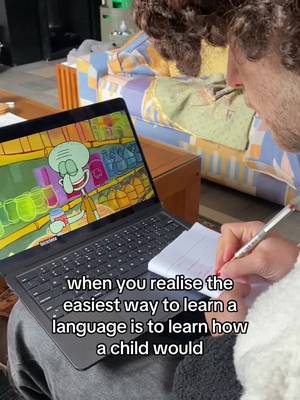 53Kxthe easiest way to learn a language
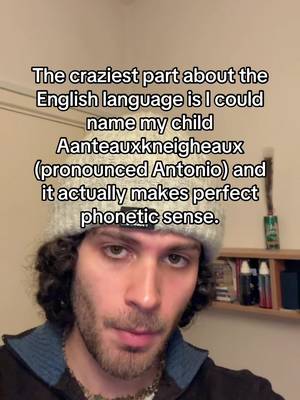 47KxThe craziest part about the English language is I could name my…
 42KxWTF did i just find in my LAST YEAR OF UNI 😭
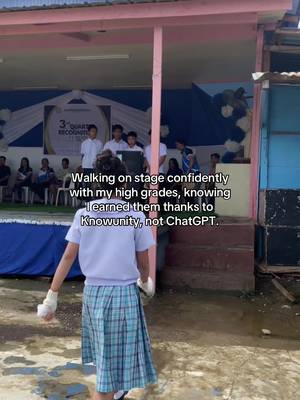 41KxWalking on stage confidently with my high grades
 37Kxtoday I said Bonjour to a sweet old lady in Paris
 34Kxhalf our class got caught using ChatGPT 😭😭😭💀
 34Kxpov: you finally delete duolingo
 30KxI said Bonjour to a sweet old lady in Paris.
 29KxWhy is Spanish so hard???
 23KxSo how do you say "drunk" in Spanish?
 23KxSCORES KO SA MGA SUMMATIVE TEST AFTER GAMITIN 'TONG METHOD NA ITO:
About this video
86.9x: about 86.9 times the views @elizabeth.wisebourt usually gets. Viral factor divides a video's views by its account's usual views, so it measures how far the video beat its creator's normal reach, whatever the size of the account. 15.1% engagement rate. 90,275 likes, 224 comments, 2,210 shares, 35,963 saves. Filed under Education, Digital Note Tutorial, Step-by-Step Tutorial and Creator face over in-app footage.