Viral Swipe File
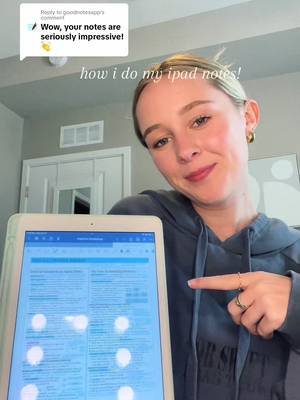

how i do my ipad notes!
Education · Digital Note Tutorial, Step-by-Step Tutorial, Creator face over in-app footage
Why it beat its usual
550xthe views @carinaaswenson usually gets
3.1M views
- This video3.1M
- Usual views5.7K
- Education median6.5× the median viral factor of the 6,803 Education videos in the library (median 84.6x).
- Digital Note Tutorial median5.9× the median viral factor of the 222 Digital Note Tutorial videos in the library (median 92.8x).
- Step-by-Step Tutorial median5.1× the median viral factor of the 681 Step-by-Step Tutorial videos in the library (median 108x).
- Creator face over in-app footage median2.9× the median viral factor of the 11,946 Creator face over in-app footage videos in the library (median 186x).
- Views against the Education niche12× the median of the 6,803 Education videos in the library (median 262,473).
- Engagement against the Education niche9.2%, above the Education median of 8.6%.
- Engagement
- 9.24%
- Rank in Digital Note Tutorial
- #45
 Promotes GoodnotesProductivity app · 8 videosGoodnotes playbook
How it's built
- Digital Note Tutorial
- Step-by-Step Tutorial
- Creator face over in-app footage
- Curiosity hook
- Screen Recording
- App Mockup
The hook opens a question, built to keep the viewer watching until it closes. Built as Screen Recording and App Mockup. A creator speaks as themselves, built to read like a post from someone the viewer follows. It presses on curiosity: wanting to know what happens or how. The tone is educational.
It is pitched at viewers who know solutions exist, so it names the kind of solution, not this one.
- Hook on screen
- “how i do my ipad notes!”
- First words said
- “A lot of you guys in the comments are asking about my notes, so here's how I do them.”
What's said
0:44 · EnglishA lot of you guys in the comments are asking about my notes, so here's how I do them. So I use app Goodnotes for pretty much everything. I have like a million different notebooks. That's where I take all my notes on my iPad. So first you're gonna wanna click new and then Notebook. I use Goodnotes.
Standard white paper in ruled narrow portrait mode, and you can pick whichever cover of the notebook you want. And then I also like to divide my page into 2 sections using the small highlighter tool in 1.65mm and this 3rd gray color. And then I draw a line across the top of the margin and then down the middle of the page. And then you can add a title, a section title, whatever you want. And then I just basically take my notes from there.
I use lots of different highlighter colors and diagrams to make the notes exactly how I want and to keep them super organized.
The words behind 550x its usual
Make your own
“how i do my ipad notes!”
Same format: Digital Note Tutorial
Highest viral factor first · All
 13Kxasking my tolan to count to one billion
 8,441xI'm so sick and tired of everyone constantly being like, I can't…
 8,179xng yêu mình mà có phải ai đâu ❤️🩹
 7,782xmy friends started gratitude check-ins so we stay positive together
 7,278xMuộn rồi mà anh ấy đi chơi chưa về thì lên màn hình khoá như vậy nè..
 6,464xDoing this daily with my boyfriend completely changed how I view life
 6,134xDoing this daily with my boyfriend completely changed my life 🥺
 4,116xNgại nhắn tin bảo ảnh đưa đi ăn thi hãy vẽ lên màn hình khoá vậy nè^^
 3,769xyo no duermo en llamada, se sobrecalienta el celular
 3,593xEstudiando el tiempo que tarde desde Bilbao a Albacete
 3,296xWas struggling with my mental health so my boyfriend suggested I…
 3,179xDAY 1 🩸
Same niche: Education
Highest viral factor first · All
 34Kxpov: you finally delete duolingo
 30KxI said Bonjour to a sweet old lady in Paris.
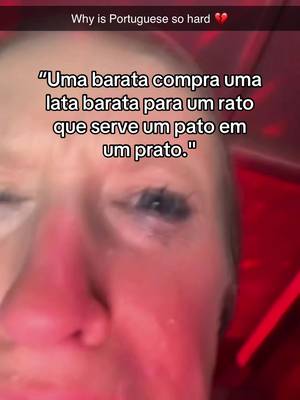
 29KxWhy is Spanish so hard???
 23KxSo how do you say "drunk" in Spanish?
 23KxSCORES KO SA MGA SUMMATIVE TEST AFTER GAMITIN 'TONG METHOD NA ITO:
 23Kx3000 Spanish words in 30 seconds
 23KxQuick percent trick
 23Kxmy favorite way to study
 22KxYour grades after using knowunity
 22Kxin their writing
 20KxWhy is Spanish so hard???
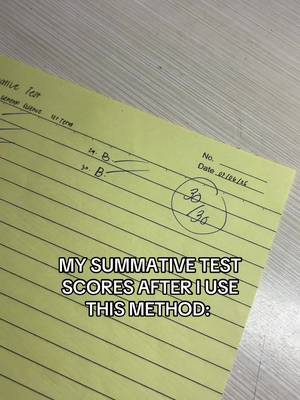 19KxMY SUMMATIVE TEST SCORES AFTER I USE THIS METHOD:
About this video
550x: about 550 times the views @carinaaswenson usually gets. Viral factor divides a video's views by its account's usual views, so it measures how far the video beat its creator's normal reach, whatever the size of the account. 9.2% engagement rate. 195,629 likes, 444 comments, 5,495 shares, 88,346 saves. Filed under Education, Digital Note Tutorial, Step-by-Step Tutorial and Creator face over in-app footage.