 Viral Swipe File
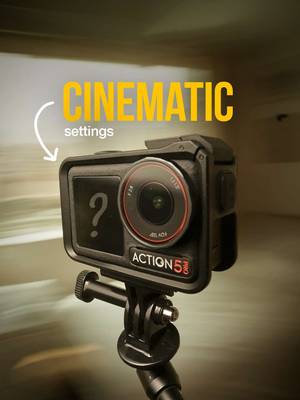

Stop shooting AUTO on the Action 5 Pro
Creative Tools · Step-by-Step Tutorial, Creator face over in-app footage
Why it beat its usual
414xthe views @migs.visuals usually gets
790K views
- This video790K
- Usual views1.9K
- Creative Tools median15× the median viral factor of the 1,381 Creative Tools videos in the library (median 28.5x).
- Step-by-Step Tutorial median3.8× the median viral factor of the 682 Step-by-Step Tutorial videos in the library (median 108x).
- Creator face over in-app footage median2.2× the median viral factor of the 11,948 Creator face over in-app footage videos in the library (median 186x).
- Views against the Creative Tools niche1.7× the median of the 1,381 Creative Tools videos in the library (median 453,945).
- Engagement against the Creative Tools niche10.0%, above the Creative Tools median of 4.1%.
- Engagement
- 10.0%
How it's built
- Step-by-Step Tutorial
- Creator face over in-app footage
- Direct address hook
- Screen Recording
- App Mockup
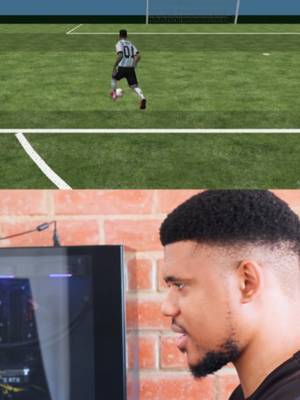
The hook speaks straight to the viewer, built to read like a message rather than a post. Built as Screen Recording and App Mockup. A creator speaks as themselves, built to read like a post from someone the viewer follows. It presses on frustration: an everyday annoyance the viewer is tired of. The tone is educational.
It is pitched at viewers who know solutions exist, so it names the kind of solution, not this one.
- Hook on screen
- “Stop shooting AUTO on the Action 5 Pro”
- First words said
- “If you're using this camera, don't skip this video.”
What's said
0:44 · EnglishIf you're using this camera, don't skip this video. This is not just an action cam because everything you're seeing here was shot on this camera. And these are the settings I used to get the best quality. First, switch your exposure to manual.
Set your shutter speed to 1 over 50 if you're shooting 25 fps or just follow this so we can get our cinematic motion blur. Then finally, set the ISO to this range. Now it's gonna look way too bright during the day, but that's where this comes in, ND filters. Just pop it on and now you can keep that low shutter speed even in full sun. The one I use is a variable ND filter, so I don't need a set of these. I just stick this on and adjust by turning it.
That's the secret to making your footage look sharp and cinematic on the Action 5 Pro.
The words behind 414x its usual
Make your own
“Stop shooting AUTO on the Action 5 Pro”
Same format: Step-by-Step Tutorial
Highest viral factor first · All
 373KxHere's how to have the best summer.
 107KxThis is the BEST summer idea!!!
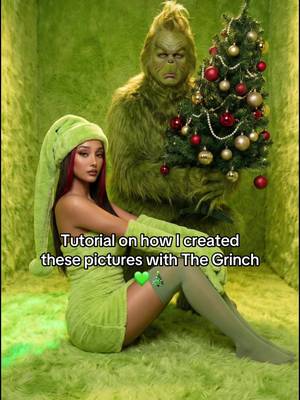 43KxTutorial on how I created these pictures with The Grinch
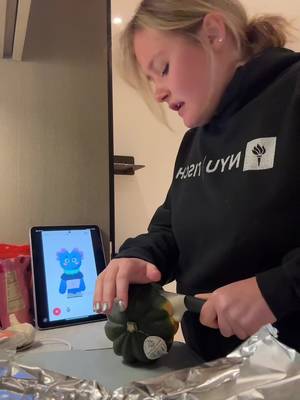 17Kxhow do I make an acorn squash easier to cut
 16KxMy FAVORITE cooking hack is this app 🙌🏼
 16KxPlease don't make the same mistake I did.
 15KxThis Tumeric All In One Is shockingly good🙌🏾
 14KxDon't they use this for corn?
 7,589xHow to make $5k a month using AI
 7,216xDrawer slipping out or getting stuck
 6,216xDo you know what grows in your Ice Machine?
 5,130xKim Kardashian's Chia Seed Pudding
Same niche: Creative Tools
Highest viral factor first · All
 44KxSi tú también quieres ser #merlina usa mi código POPIA en @Glam AI…
 37Kxtutorial for photos like this
 27KxMe in my room taking random low quality selfies:
 18Kx"como te salen tan bien las fotos con flash?"
 18Kxestas fotos las saque YO???
 18KxIphone 15 😅😂
 18KxNo sabia que las que hacemos crochet teníamos una app para nosotras
 17Kxus and our fav digicam app
 17KxFirst rule of IG: NEVER waste good photos like this
 15Kxupdate on the app i'm building with replit (and a sneak peek)
 14KxAN ALLE, DIE WIEDER IN DIE SCHULE STARTEN!!!
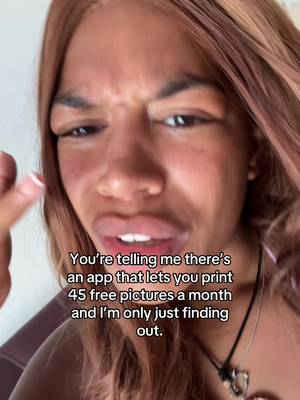 12KxYou're telling me there's an app that lets you print 45 free…
About this video
414x: about 414 times the views @migs.visuals usually gets. Viral factor divides a video's views by its account's usual views, so it measures how far the video beat its creator's normal reach, whatever the size of the account. 10.0% engagement rate. 41,119 likes, 185 comments, 3,521 shares, 34,499 saves. Filed under Creative Tools, Step-by-Step Tutorial and Creator face over in-app footage.