Viral Swipe File
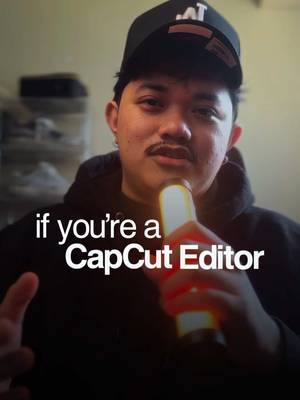

How to get more clients using Capcut.
Creative Tools · Step-by-Step Tutorial, Creator face over in-app footage
Why it beat its usual
113xthe views @ciggmedia usually gets
569K views
- This video569K
- Usual views5K
- Creative Tools median4.0× the median viral factor of the 1,381 Creative Tools videos in the library (median 28.5x).
- Step-by-Step Tutorial median1.1× the median viral factor of the 682 Step-by-Step Tutorial videos in the library (median 108x).
- Creator face over in-app footage medianbelow the median viral factor of the 11,947 Creator face over in-app footage videos in the library (median 186x).
- Views against the Creative Tools niche1.3× the median of the 1,381 Creative Tools videos in the library (median 453,945).
- Engagement against the Creative Tools niche15.5%, above the Creative Tools median of 4.1%.
- Engagement
- 15.5%
How it's built
- Step-by-Step Tutorial
- Creator face over in-app footage
- Curiosity hook
- Screen Recording
- Text Overlay
The hook opens a question, built to keep the viewer watching until it closes. Built as Screen Recording and Text Overlay. A creator speaks as themselves, built to read like a post from someone the viewer follows. It presses on hope: things could get better. The tone is educational.
It is pitched at viewers who know solutions exist, so it names the kind of solution, not this one.
- Hook on screen
- “How to get more clients using Capcut.”
- First words said
- “If you're a CapCut editor trying to build your personal brand but still getting zero clients, these three tricks changed everything for me.”
What's said
0:42 · EnglishIf you're a CapCut editor trying to build your personal brand but still getting zero clients, these three tricks changed everything for me. First, stop using those basic CapCut transitions. You know those spin transitions, bouncy transitions, all those preset effects that scream beginner editor.
Use simple movements every two to four seconds instead. Quick zooms, adding B rolls, using film burn overlays for a more cinematic feel. Second is your sound design. All you need are washes for movements, risers for anticipation, and hits after key points. If you want to get all of these sound effects and 400+ more, comment the word please and I'll send you the link. And the final trick is to stop using those generic CapCut stock videos.
Instead, shoot these five types of clips with just your phone. Follow for more.
The words behind 113x its usual
Make your own
“How to get more clients using Capcut.”
Same format: Step-by-Step Tutorial
Highest viral factor first · All
 373KxHere's how to have the best summer.
 107KxThis is the BEST summer idea!!!
 43KxTutorial on how I created these pictures with The Grinch
 17Kxhow do I make an acorn squash easier to cut
 16KxMy FAVORITE cooking hack is this app 🙌🏼
 16KxPlease don't make the same mistake I did.
 15KxThis Tumeric All In One Is shockingly good🙌🏾
 14KxDon't they use this for corn?
 7,589xHow to make $5k a month using AI
 7,216xDrawer slipping out or getting stuck
 6,216xDo you know what grows in your Ice Machine?
 5,130xKim Kardashian's Chia Seed Pudding
Same niche: Creative Tools
Highest viral factor first · All
 44KxSi tú también quieres ser #merlina usa mi código POPIA en @Glam AI…
 37Kxtutorial for photos like this
 27KxMe in my room taking random low quality selfies:
 18Kx"como te salen tan bien las fotos con flash?"
 18Kxestas fotos las saque YO???
 18KxIphone 15 😅😂
 18KxNo sabia que las que hacemos crochet teníamos una app para nosotras
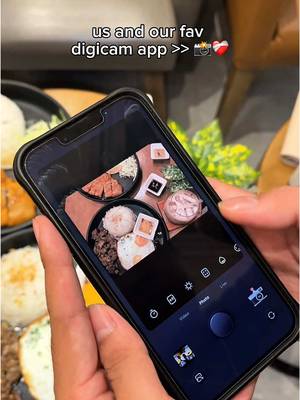 17Kxus and our fav digicam app
 17KxFirst rule of IG: NEVER waste good photos like this
 15Kxupdate on the app i'm building with replit (and a sneak peek)
 14KxAN ALLE, DIE WIEDER IN DIE SCHULE STARTEN!!!
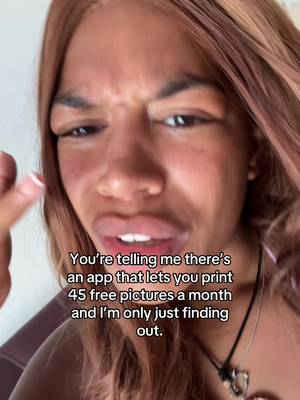 12KxYou're telling me there's an app that lets you print 45 free…
About this video
113x: about 113 times the views @ciggmedia usually gets. Viral factor divides a video's views by its account's usual views, so it measures how far the video beat its creator's normal reach, whatever the size of the account. 15.5% engagement rate. 48,747 likes, 9,793 comments, 2,508 shares, 27,226 saves. Filed under Creative Tools, Step-by-Step Tutorial and Creator face over in-app footage.