Viral Swipe File
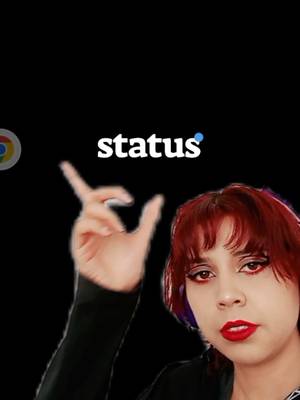

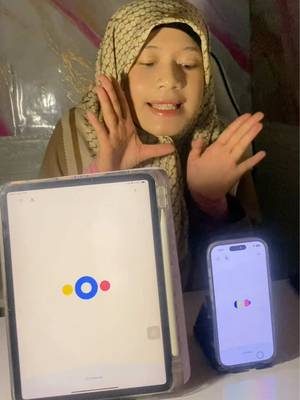
I’ll show you how to unlock characters in Status.
AI Characters · Step-by-Step Tutorial, Creator face over in-app footage
Why it beat its usual
168xthe views @soynemrakh usually gets
89K views
- This video89K
- Usual views533
- AI Characters median1.1× the median viral factor of the 360 AI Characters videos in the library (median 152x).
- Step-by-Step Tutorial median1.6× the median viral factor of the 682 Step-by-Step Tutorial videos in the library (median 108x).
- Creator face over in-app footage medianbelow the median viral factor of the 11,948 Creator face over in-app footage videos in the library (median 186x).
- Views against the AI Characters nichebelow the median of the 360 AI Characters videos in the library (median 300,130).
- Engagement against the AI Characters niche8.4%, above the AI Characters median of 7.9%.
- Engagement
- 8.36%
How it's built
- Step-by-Step Tutorial
- Creator face over in-app footage
- How to hook
- Screen Recording
- App Mockup
The hook promises to teach something useful, built to keep the viewer for the steps. Built as Screen Recording and App Mockup. A creator speaks as themselves, built to read like a post from someone the viewer follows. It presses on curiosity: wanting to know what happens or how. The tone is educational.
It is pitched at viewers who know solutions exist, so it names the kind of solution, not this one.
- Hook on screen
- “I’ll show you how to unlock characters in Status.”
- First words said
- “Come here—I’ll show you how to unlock characters in Status.”
What's said
1:37 · EnglishCome here—I’ll show you how to unlock characters in Status. To do that, we need to level up. So tap the button down here. It’ll open the menu we all know. Then scroll all the way to the bottom. At the very end, you’ll find Skills. Up top, it tells you how to earn points to improve.
I’ll leave these translated for you right here. Once you have points, divide them up based on what you want to improve, depending on which skills you want. I recommend splitting them evenly across all three. Tap the blue button. Once you’ve distributed all your points, tap this button, the blue one that shows up at the bottom, and it’ll level you up. Go back to the top, and you should see this one here—tap “Complete Mission.”
At certain levels, it’ll let you unlock a new character. Once you reach the required level, tap the blue button that should appear. And here you’ve got two options, sis: either you choose one, which you might find, or you might not—either way, you can do it. If you decide to do it, it’ll take you to this tab where you need to fill in each field, and it’ll ask you to write a clear description of your character. If you decide to pick one from the app, all the available ones will show up.
Once you’ve chosen your character, tap “Add,” and that’s it—your new character is added. Be patient, gorgeous. A lot of us are using the app, and right now it’s under maintenance. Now you’ve got the tutorial so you can keep adding characters once it’s back up. Okay? Love you! Bye—mwah!
The words behind 168x its usual
Make your own
“I’ll show you how to unlock characters in Status.”
Same format: Step-by-Step Tutorial
Highest viral factor first · All
 373KxHere's how to have the best summer.
 107KxThis is the BEST summer idea!!!
 43KxTutorial on how I created these pictures with The Grinch
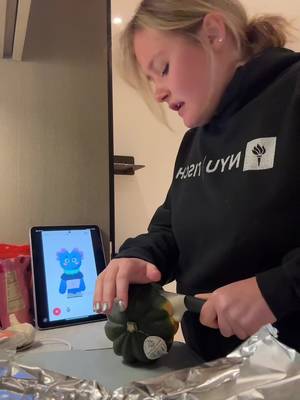 17Kxhow do I make an acorn squash easier to cut
 16KxMy FAVORITE cooking hack is this app 🙌🏼
 16KxPlease don't make the same mistake I did.
 15KxThis Tumeric All In One Is shockingly good🙌🏾
 14KxDon't they use this for corn?
 7,589xHow to make $5k a month using AI
 7,216xDrawer slipping out or getting stuck
 6,216xDo you know what grows in your Ice Machine?
 5,130xKim Kardashian's Chia Seed Pudding
Same niche: AI Characters
Highest viral factor first · All
 31KxThis App Tells You When You're Gonna DIE
 19KxWAIT are people tagging zendaya under my tweet..
 17KxHYBE is so messy cause how are you going to launch a new game where…
 16Kxc.ai could never
 12Kxthe way draco malfoy hates me on my hogwarts social media..
 7,743xStages of a group chat 🙏
 6,175xR.I.P HUMANS
 6,103xMy grandma died and this is how my mom tells me…
 5,428xi'm crying cause someone made an app where kpop idols have their own…
 4,484xmy sister apparently got an abortion and this is how she broke the…
 4,419xhe did not just say that to me
 3,750xPOV: YOU FOUND A GAME THAT LETS YOU LIVE AS A FAMOUS CELEBRITY AND…
About this video
168x: about 168 times the views @soynemrakh usually gets. Viral factor divides a video's views by its account's usual views, so it measures how far the video beat its creator's normal reach, whatever the size of the account. 8.4% engagement rate. 5,520 likes, 179 comments, 241 shares, 1,563 saves. Filed under AI Characters, Step-by-Step Tutorial and Creator face over in-app footage.