 Viral Swipe File
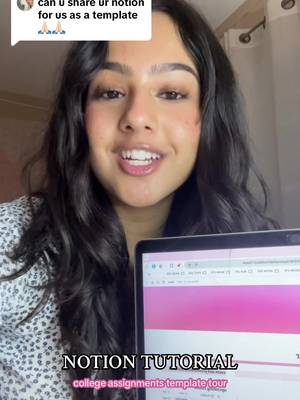

I'ma give you guys a notion tutorial
Education · Laptop Display, Creator face over in-app footage
Why it beat its usual
758xthe views @chahat10103 usually gets
1.1M views
- This video1.1M
- Usual views1.4K
- Education median9.0× the median viral factor of the 6,803 Education videos in the library (median 84.6x).
- Laptop Display median20× the median viral factor of the 3,122 Laptop Display videos in the library (median 37.8x).
- Creator face over in-app footage median4.1× the median viral factor of the 11,953 Creator face over in-app footage videos in the library (median 186x).
- Views against the Education niche4.2× the median of the 6,803 Education videos in the library (median 262,473).
- Engagement against the Education niche9.6%, above the Education median of 8.6%.
- Engagement
- 9.60%
How it's built
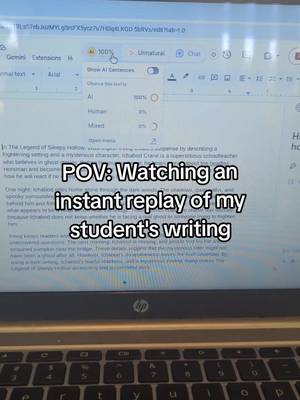
- Laptop Display
- Creator face over in-app footage
- How to hook
- Screen Recording
- App Mockup
The hook promises to teach something useful, built to keep the viewer for the steps. Built as Screen Recording and App Mockup. A creator speaks as themselves, built to read like a post from someone the viewer follows. It presses on hope: things could get better. The tone is educational.
It is pitched at viewers who know solutions exist, so it names the kind of solution, not this one.
- Hook on screen
- “I'ma give you guys a notion tutorial”
What's said
2:28 · EnglishI'mma give you guys a notion tutorial and how I organize my whole life on notion as a college student. God, that intro took so long to fit. I'm finally making this video. This is really great.
If you're trying to use notion for next semester and, like, your class and stuff, and if you're a high school student going to college next year, this is gonna be really helpful so you know how to set up your notion for college. Okay, so this is how my notion page looks like. So on the left, over here, I have all my assignments for literally every single class. Basically, if you click here, you can change what class that you want the assignment to be for.
And then over here, I have the name of the assignment. This is the deadline for it. So you can click on this and change the deadline for whatever the assignment is due. So if I make it full screen, this is kind of like how the page looks. You have the deadline, the course, the name, and the days left. Obviously, this is from last semester, so it looks a little sad, but this is a page for my winter class, so you can see the days left.
Calm a little bit better, but it's gonna tell you, like, something that's due tomorrow in a couple days, and it really helps you, like, figure out to work on your assignment. Okay, but back to The overall sophomore year page. Then on the right side, I dedicated this little table to just exams and presentation. So this really helps when it comes to final season or literally midterm season. You have, like, your assignments on this side and then your exams on this side.
And then if you scroll down on the right, I have this column called Random Shit to do and home slash routine stuff. So this is just kind of like a more of a to do list of stuff that you have to do. Feel like you can curate this in, like, whatever way that you want to, but that's also there. But I really hope that helped. That's kind of a little tour of the main page that I use to organize my sophomore year and just college in general.
I'm gonna have this template, LinkedIn, my bio, so you guys can go check that out, and all you have to do is just duplicate it. And make sure that you have an notion account also. I just wanna say, notion literally changed my life. Like, I swear, if there wasn't an assignment on notion, I deadass just won't even do it because I depended on notion so much last year. And up until my sophomore year of college, I was really big in, like, the handwritten planners and, like, doing stuff by hand.
But this was so good because I have the app on my phone and I have The website up on my MacBook so I can literally check my assignments off and like, double check if I have anything due, like, right before I go to bed or anything. And I don't need to carry around, like, a big ass fucking planner, like, to every single class. Everything's just on my laptop. So it was really, really helpful. So if you take away anything from this video, literally, just start using.
No, she don't even have to use my template, but literally just start it because I swear it'll change your life. And I know for some people it doesn't work, but give it a try and maybe it'll help you next year. Yeah, let's start 2024 strong. Be fucking academic weapon. But let me know if you want, like, another video of me talking about notion or literally anything in general. Yeah. Thanks for watching, guys. That's all I had for now.
Bye.
The words behind 758x its usual
Make your own
“I'ma give you guys a notion tutorial”
Same format: Laptop Display
Highest viral factor first · All
 47KxPosting this in case he deletes it 🤯🚨
 42KxHOW TO START CLIPPING
 40Kxoh he don't wanna read all that?????? #womeninmalefields
 35Kxohh he's not reading all that?? okay then
 31KxThis App Tells You When You're Gonna DIE
 27KxInstall Sekarang !
 17Kxto the person who showed me how ai can take notes for me while i…
 17KxAfter 2 years of IELTS prep, I just found this????
 14KxI'm giving you a 0 you've clearly used AI
 13KxIs it just me or do college students not fully understand what…
 13KxRaise your hand if you have less than A thousand dollars in your…
 13KxBest AI Tools For Students
Same niche: Education
Highest viral factor first · All
 110KxWhy is Spanish so hard???
 75Kxthis is me after I installed the knowunity app:
 55KxPOV you finished studying 4 hours early bc you listened to this guy…
 53Kxthe easiest way to learn a language
 47KxThe craziest part about the English language is I could name my…
 42KxWTF did i just find in my LAST YEAR OF UNI 😭
 41KxWalking on stage confidently with my high grades
 37Kxtoday I said Bonjour to a sweet old lady in Paris
 34Kxhalf our class got caught using ChatGPT 😭😭😭💀
 34Kxpov: you finally delete duolingo
 30KxI said Bonjour to a sweet old lady in Paris.
 29KxWhy is Spanish so hard???
About this video
758x: about 758 times the views @chahat10103 usually gets. Viral factor divides a video's views by its account's usual views, so it measures how far the video beat its creator's normal reach, whatever the size of the account. 9.6% engagement rate. 57,260 likes, 333 comments, 4,189 shares, 45,237 saves. Filed under Education, Laptop Display and Creator face over in-app footage.