Viral Swipe File
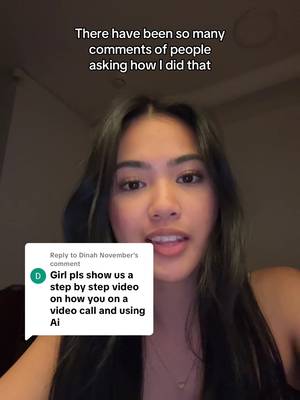

There have been so many comments of people asking how I did that
AI Chat Assistants · Step-by-Step Tutorial, Creator face over in-app footage
Why it beat its usual
8.36xthe views @worksmartwithyeesha usually gets
137K views
- This video137K
- Usual views16K
- AI Chat Assistants medianbelow the median viral factor of the 533 AI Chat Assistants videos in the library (median 164x).
- Step-by-Step Tutorial medianbelow the median viral factor of the 682 Step-by-Step Tutorial videos in the library (median 108x).
- Creator face over in-app footage medianbelow the median viral factor of the 11,947 Creator face over in-app footage videos in the library (median 186x).
- Views against the AI Chat Assistants nichebelow the median of the 533 AI Chat Assistants videos in the library (median 287,481).
- Engagement against the AI Chat Assistants niche4.5%, below the AI Chat Assistants median of 7.2%.
- Engagement
- 4.51%
 Promotes CluelyProductivity app · 9 videosCluely playbook
How it's built
- Step-by-Step Tutorial
- Creator face over in-app footage
- Curiosity hook
- Screen Recording
- App Mockup
The hook opens a question, built to keep the viewer watching until it closes. Built as Screen Recording and App Mockup. A creator speaks as themselves, built to read like a post from someone the viewer follows. It presses on curiosity: wanting to know what happens or how. The tone is educational.
It is pitched at viewers who know solutions exist, so it names the kind of solution, not this one.
- Hook on screen
- “There have been so many comments of people asking how I did that”
What's said
0:45 · EnglishThere have been so many comments of people asking how I did that so I'm gonna show you guys today it's very simple I promise the app is called cluely you're just gonna search it on Google and then download it from this website once it's downloaded you open it up and then it should come up with
this at the top of your screen I'm just using a random meeting on YouTube for demonstration purposes but once the meeting started you click this little thing called listen and it literally listens to your entire screen you can also ask it anything from here so like say you weren't paying attention and you want them to summarise what they just said you literally just type summarize and enter it and then it literally generates everything that they're saying it's also undetectable so if other people are looking at your screen they can't see this yeah that's pretty much it when I was on Facetime it was listening if he asked me a football question I just ask it to answer the question for me but yeah
the app is cluely and it's free to download
The words behind 8.36x its usual
Make your own
“There have been so many comments of people asking how I did that”
Same format: Step-by-Step Tutorial
Highest viral factor first · All
 373KxHere's how to have the best summer.
 107KxThis is the BEST summer idea!!!
 43KxTutorial on how I created these pictures with The Grinch
 17Kxhow do I make an acorn squash easier to cut
 16KxMy FAVORITE cooking hack is this app 🙌🏼
 16KxPlease don't make the same mistake I did.
 15KxThis Tumeric All In One Is shockingly good🙌🏾
 14KxDon't they use this for corn?
 7,589xHow to make $5k a month using AI
 7,216xDrawer slipping out or getting stuck
 6,216xDo you know what grows in your Ice Machine?
 5,130xKim Kardashian's Chia Seed Pudding
Same niche: AI Chat Assistants
Highest viral factor first · All
 46Kxwdym someone made an app where you are a kpop idol on twitter??
 43KxCLAUDE can do WHAT???
 16KxI can't believe I was born in 2025
 13KxHave some water!
 12Kxgoogle docs just added a new button... and it shows you've used…
 10Kxgoogle docs just added a new button... and it shows you've used…
 9,338xThis is what our water is going to look like very soon
 8,642xFresh drinkable water is literally going to disappear.
 8,212xHow to help your parents that use ChatGPT
 8,212xBuenas noticias para las lectoras
 5,448xme at 2AM:
 5,186xChatGPT
About this video
8.36x: about 8.36 times the views @worksmartwithyeesha usually gets. Viral factor divides a video's views by its account's usual views, so it measures how far the video beat its creator's normal reach, whatever the size of the account. 4.5% engagement rate. 3,093 likes, 31 comments, 378 shares, 2,694 saves. Filed under AI Chat Assistants, Step-by-Step Tutorial and Creator face over in-app footage.