Viral Swipe File
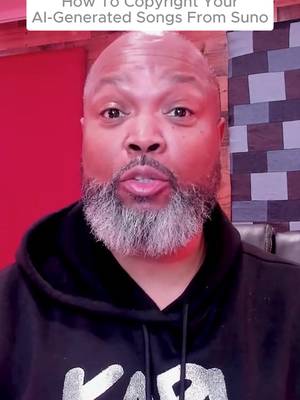

How To Copyright Your AI-Generated Songs From Suno
Why it beat its usual
158xthe views @samoricoles usually gets
119K views
- This video119K
- Usual views753
- Creative Tools median5.6× the median viral factor of the 1,381 Creative Tools videos in the library (median 28.5x).
- Creator face over in-app footage medianbelow the median viral factor of the 11,947 Creator face over in-app footage videos in the library (median 186x).
- Views against the Creative Tools nichebelow the median of the 1,381 Creative Tools videos in the library (median 453,945).
- Engagement against the Creative Tools niche12.8%, above the Creative Tools median of 4.1%.
- Engagement
- 12.8%
How it's built
- Creator face over in-app footage
- How to hook
- Screen Recording
The hook promises to teach something useful, built to keep the viewer for the steps. Built as Screen Recording: a recording of a phone or computer screen. A creator speaks as themselves, built to read like a post from someone the viewer follows. It presses on curiosity: wanting to know what happens or how. The tone is educational.
It is pitched at viewers who know solutions exist, so it names the kind of solution, not this one.
- Hook on screen
- “How To Copyright Your AI-Generated Songs From Suno”
- First words said
- “Let me show you how to copyright your AI-generated music that you made in Suno.”
What's said
4:11 · EnglishLet me show you how to copyright your AI generated music that you made in Suno. The first thing you're gonna do is go to eco.copyright.gov alright this is the website for the Electronic Copyright Office you're gonna select login to Eco, go through all of the prompts here and then if you are a new
user you're going to select that then you're going to set up a free account, put in your salutation, your name, all of that good stuff and go through the registration process. Once you registered you're gonna go ahead and log in which after your registration you should already be logged in and it's gonna take you to a screen that looks like this. Now when you're on this page you're gonna see over here to the left side it says register a work the standard application is $45 per song now the smart money is on registering a group of unpublished works so that's under other registration options down to register a group of unpublished works so if you haven't published your songs at all and I'm not
talking about published on Suno I'm talking about you haven't released them to the public for sale for streaming then you can register that group of unpublished works and that cost $85 and that's completely up to you either one song or a group of songs. Now if you register a group of unpublished works it has to be the exact same author on all 10 of those songs, right? So if these are your songs that you've made on Suno, that's cool.
You have authored all 10 of those. Now remember, I am not an attorney. You know, any legal advice please get from an attorney. Take this for entertainment purposes only and I'm just showing you how I have gone about copyrighting many dozens of songs. Technically speaking, when it comes to your a I songs, you're technically supposed to copyright those elements of the song that you created. So if you wrote the lyrics or if you let's say uploaded the musical parts, you know, then you are technically supposed to copyright those parts.
The next step is to go in and start your registration and you want to indicate what type of work you are registering. Pro tip, there are two different copyrights for music. One is the sound recording, also known as the master. The other is the work of the performing arts. These are two separate copyrights. However, if you copyright the sound recording, it covers you for both the sound recording and the work of the performing art.
So go ahead and select Sound Recording here. Once you've done that to check box down at the bottom, continue from here. You're going to register the titles of your song. Click new. Now at the end of this process, you are actually going to be uploading those songs so make sure you have MP three or wave versions of Your songs, you're gonna upload them, whatever those song titles are on those files, they should match the titles that you're putting in this section.
So you're just gonna go one song at a time, give the title of the work, whatever that title is, you save it brings you back to this page and you can now register the next title and so on and so forth, right? Until you've got all your titles and then you hit continue. Now from there, what year were the songs completed or created? So you go ahead and put that year in continue, who are the authors? This is where you can simply put add me right there, right?
And it will populate with your information. So this is the process. Once you get through this process, you'll be able to review everything that you've done, then you'll go through the payment process, then you upload your songs, submit and you're all set. It takes a while to get the copyright certificates back in the mail, but this is an important step obviously. If you have any questions, you can DM me or click the link in my profile, we can set up a consultation and I'll help walk you through this in real time.
Keep creating.
The words behind 158x its usual
Make your own
“How To Copyright Your AI-Generated Songs From Suno”
Same format: Creator face over in-app footage
Highest viral factor first · All
 100KxI could literally KISS the therapist that showed me this
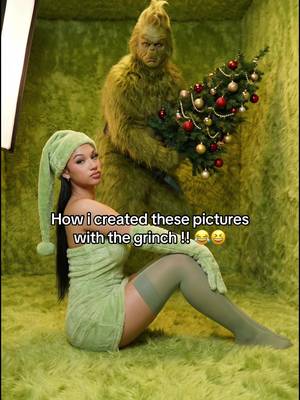 87KxHow I created these pictures with the Grinch?! 🤩
 82Kxall the besties im bouta makeee 😝
 80KxPOV: you wake up drenched in sweat but it's winter
 80Kx13 goals is the WC record. Can it be broken?
 78KxGod bless the girl who read through the entire Bible but made it…
 75Kxthis is me after I installed the knowunity app:
 65KxHold up. Wait a minute.
 65KxI love Gen Z, wdym someone made an app combining Ig and Spotify…
 65KxDrake Maye is going to cook Buffalo
 65Kxme: i would be the best kpop idol ever fr i would never get into a…
 63Kxthe type of friend I NEED
Same niche: Creative Tools
Highest viral factor first · All
 44KxSi tú también quieres ser #merlina usa mi código POPIA en @Glam AI…
 37Kxtutorial for photos like this
 27KxMe in my room taking random low quality selfies:
 18Kx"como te salen tan bien las fotos con flash?"
 18Kxestas fotos las saque YO???
 18KxNo sabia que las que hacemos crochet teníamos una app para nosotras
 17Kxus and our fav digicam app
 17KxFirst rule of IG: NEVER waste good photos like this
 15Kxupdate on the app i'm building with replit (and a sneak peek)
 14KxDon't they use this for corn?
 14KxAN ALLE, DIE WIEDER IN DIE SCHULE STARTEN!!!
 12KxYou're telling me there's an app that lets you print 45 free…
About this video
158x: about 158 times the views @samoricoles usually gets. Viral factor divides a video's views by its account's usual views, so it measures how far the video beat its creator's normal reach, whatever the size of the account. 12.8% engagement rate. 5,640 likes, 377 comments, 2,363 shares, 6,917 saves. Filed under Creative Tools and Creator face over in-app footage.