Viral Swipe File


Metodo definitivo para crear canciones en suno con tu voz.
Creative Tools · Step-by-Step Tutorial, Creator face over in-app footage
Why it beat its usual
343xthe views @jedahunteroficial usually gets
107K views
- This video107K
- Usual views312
- Creative Tools median12× the median viral factor of the 1,381 Creative Tools videos in the library (median 28.5x).
- Step-by-Step Tutorial median3.2× the median viral factor of the 682 Step-by-Step Tutorial videos in the library (median 108x).
- Creator face over in-app footage median1.8× the median viral factor of the 11,947 Creator face over in-app footage videos in the library (median 186x).
- Views against the Creative Tools nichebelow the median of the 1,381 Creative Tools videos in the library (median 453,945).
- Engagement against the Creative Tools niche5.1%, above the Creative Tools median of 4.1%.
- Engagement
- 5.11%
How it's built
- Step-by-Step Tutorial
- Creator face over in-app footage
- How to hook
- Screen Recording
- App Mockup
The hook promises to teach something useful, built to keep the viewer for the steps. Built as Screen Recording and App Mockup. A creator speaks as themselves, built to read like a post from someone the viewer follows. It presses on curiosity: wanting to know what happens or how. The tone is educational.
It is pitched at viewers who know solutions exist, so it names the kind of solution, not this one.
- Hook on screen
- “Metodo definitivo para crear canciones en suno con tu voz.”
- First words said
- “The definitive method, without a doubt the best way to create songs in Suno with your own voice.”
What's said
2:54 · SpanishThe definitive method, without a doubt the best way to create songs in Suno with your own voice. First, go to Suno and choose the song you want to add your voice to. Click the three dots here, and then click the stems option.
This will open this window, and with it you’ll be able to separate the vocals and the instrumental from this song. Now go to Voice Control, and here you’re going to create a cloned voice based on your own voice. To do that, you need to record yourself singing for at least ten minutes. I also need to tell you that the quality of this audio recording is going to have a big impact on the result. So here in Voice Control, you’re going to upload the audio file, give it your name, and click Create Voice.
Then you’ll wait approximately between one and three hours, until the voice is created. Now click here where it says Use Voice. This will open a new window where your voice is already selected, and here you’ll be able to upload the vocal track you downloaded from the song you created in Suno, just the vocal. Once you’ve uploaded the vocal, go to the advanced options, and here I usually set this configuration. Once that’s ready, click the button that makes the magic happen.
To make it clearer and to really show the quality of the result, I’ll show you how my voice sounds singing this part of the song: It comes without warning, but I know it still hurts. And now how it sounds with the voice created in Voice Control: It comes without warning, but I know it’s pure magic, all of it, not just half. That result: flashes in waves that shine, an aurora you’ve given me, but I know it’s still pure magic.
The words behind 343x its usual
Make your own
“Metodo definitivo para crear canciones en suno con tu voz.”
Same format: Step-by-Step Tutorial
Highest viral factor first · All
 373KxHere's how to have the best summer.
 107KxThis is the BEST summer idea!!!
 43KxTutorial on how I created these pictures with The Grinch
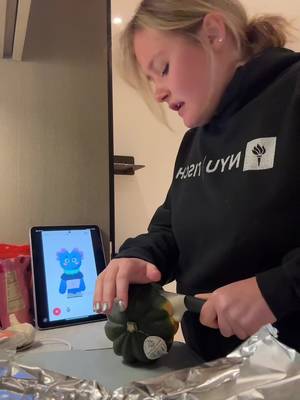 17Kxhow do I make an acorn squash easier to cut
 16KxMy FAVORITE cooking hack is this app 🙌🏼
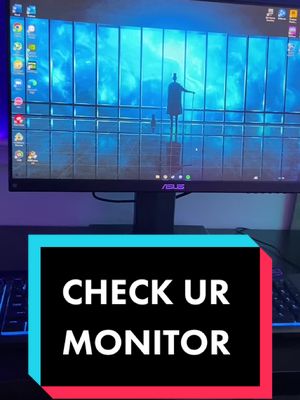 16KxPlease don't make the same mistake I did.
 15KxThis Tumeric All In One Is shockingly good🙌🏾
 14KxDon't they use this for corn?
 7,589xHow to make $5k a month using AI
 7,216xDrawer slipping out or getting stuck
 6,216xDo you know what grows in your Ice Machine?
 5,130xKim Kardashian's Chia Seed Pudding
Same niche: Creative Tools
Highest viral factor first · All
 44KxSi tú también quieres ser #merlina usa mi código POPIA en @Glam AI…
 37Kxtutorial for photos like this
 27KxMe in my room taking random low quality selfies:
 18Kx"como te salen tan bien las fotos con flash?"
 18Kxestas fotos las saque YO???
 18KxIphone 15 😅😂
 18KxNo sabia que las que hacemos crochet teníamos una app para nosotras
 17Kxus and our fav digicam app
 17KxFirst rule of IG: NEVER waste good photos like this
 15Kxupdate on the app i'm building with replit (and a sneak peek)
 14KxAN ALLE, DIE WIEDER IN DIE SCHULE STARTEN!!!
 12KxYou're telling me there's an app that lets you print 45 free…
About this video
343x: about 343 times the views @jedahunteroficial usually gets. Viral factor divides a video's views by its account's usual views, so it measures how far the video beat its creator's normal reach, whatever the size of the account. 5.1% engagement rate. 2,738 likes, 135 comments, 466 shares, 2,140 saves. Filed under Creative Tools, Step-by-Step Tutorial and Creator face over in-app footage.